
Future Claim Center

Timeline
This project was completed in 5 days, from scratch, UX research, high-fi prototype to presentation.

Content
This project was made during the 2025 UX Designathon, a competition held by Guidewire that aims to imagine how Guidewire’s customers and Professional Services teams build customer-facing experiences with AI in the future.
Won the Runners-up Prize

Empathy Map

Settings
What I did
User research
Prototype
Storytelling
Tools Used
Miro
Figma
Figma Make
ChatGPT 4.0o
More
Type: Group Project
Duration: 5 days
Time: May 2025
What’s the problem we’re trying to solve:
Workers’ compensation claims management remains complex, slow, and often frustrating for injured workers, adjusters, and insurers due to legacy systems, regulatory complexity, and high volumes of data. While AI promises to automate low-complexity claims and enhance case management, current user experiences do not fully leverage AI’s potential to deliver empathetic, transparent, and efficient claims journeys. The challenge is to design an AI-powered, inclusive, and user-centric claims management interface that streamlines workflows, supports diverse stakeholders, and improves outcomes for injured workers and insurers alike.
Who are we trying to solve this problem for:
Claims Adjuster
Name: Anita, 41
Role: Senior Claims Adjuster at a national insurance provider
Needs: Efficient tools to manage high claim columns, summaries of case data, alerts for complex cases, ability to personalize claimant interactions
Painpoints: Manual data overload, repetitive tasks, pressure to balance speed and accuracy.
“I’m constantly juggling dozens of cases. What I need is a tool that cuts through the noise, helps me prioritize fast, and still lets me treat each claimant carefully, not just a file.”
Injured Worker (secondary)
Name: Maria
Role: Warehouse Associate
Needs: Clear guidance on claim status, empathetic support, reassurance about fair treatment
Pain points: Confusing processes, delays, lack of communication, anxiety about revovery and finances.
Accessability considerations: may have temporary or permanent disabilities, limited tech skills.
“The whole claims process feels like a black box. I just want clear updates, kind support, and the reassurance that I’m being treated fairly.”
Our Approach
Diverging Brainstorming

Crafting the Scenario
Converging to focus areas
Journey Map
Figma Prototype
Claim Scenario
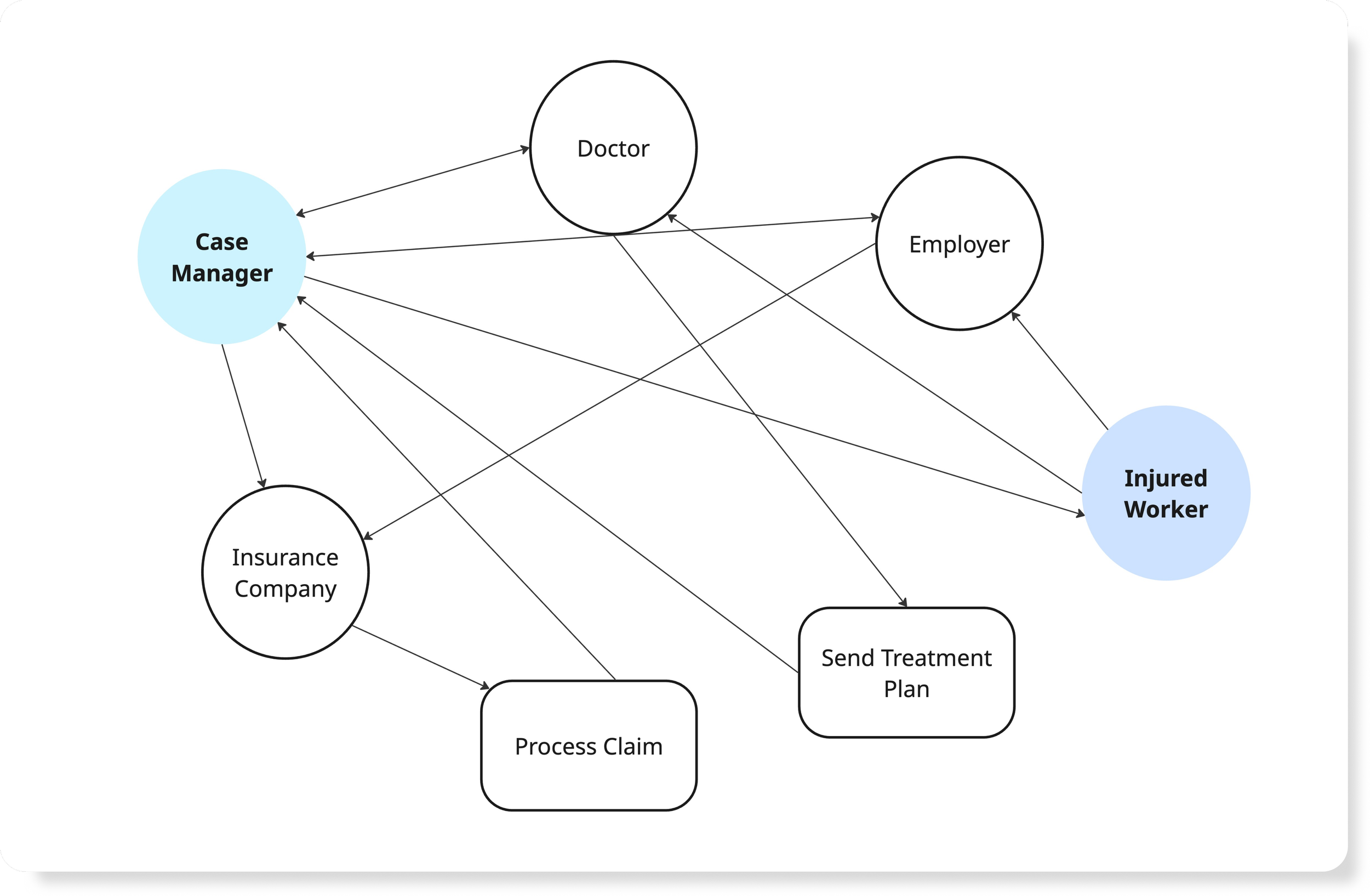
Our approach started by pulling out a typical workers’ compensation claim scenario to better understand the overall process, timelines, and major milestones. This helped us identify key players involved, including the injured worker, employer, insurance company, case manager, and medical providers. Based on this, we created a relationship diagram to visualize how information and decisions flow between these parties.

Crafting the Scenario
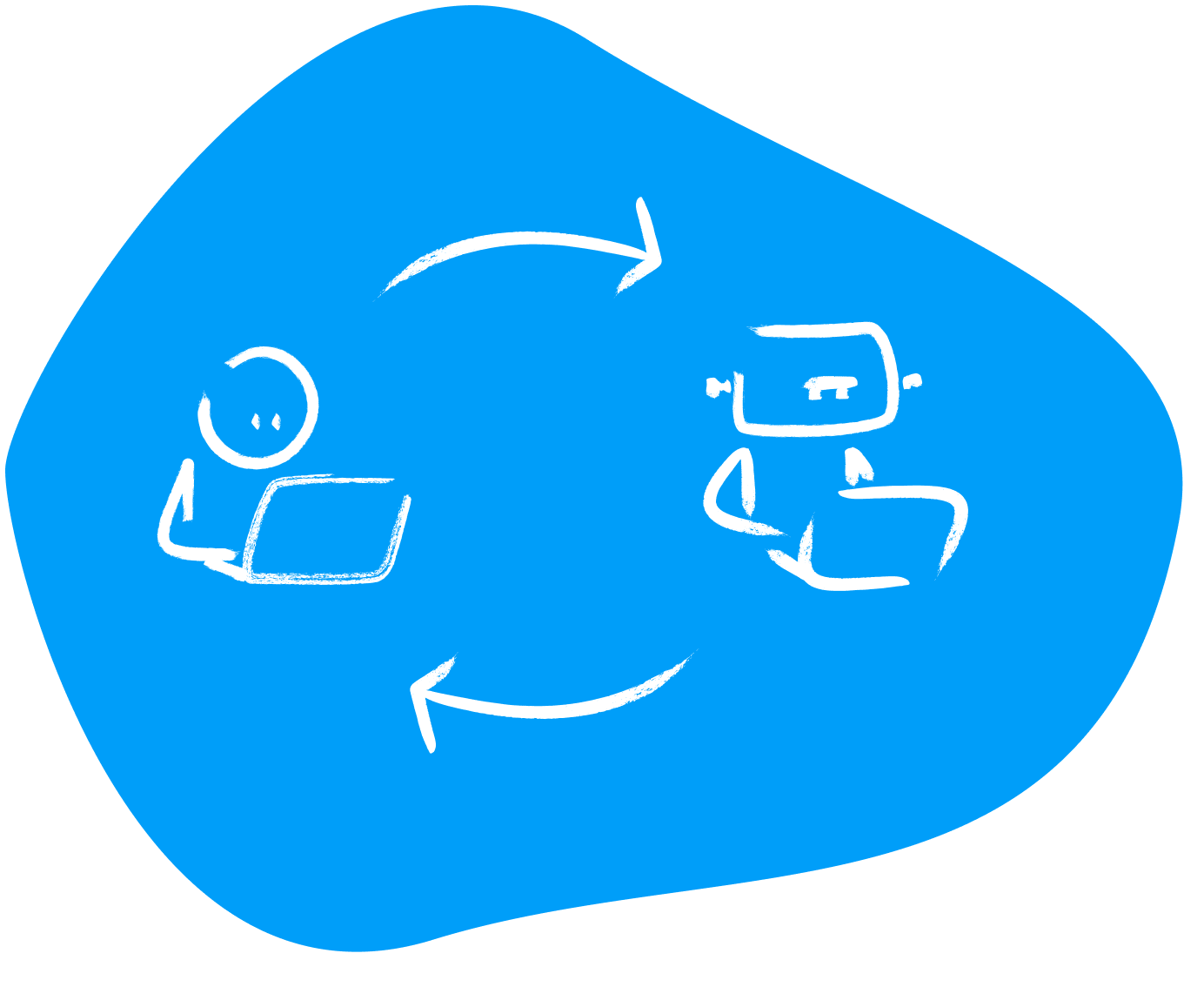
After identifying our core focus areas, we fed the research insights into ChatGPT. This move is to refine, question, and shape human judgment. This loop helped us structure the complete user workflows and sparked new ideas about how AI could help users think more broadly, while still giving them the agency to guide, regulate, and shape the outcomes.
Journey Map
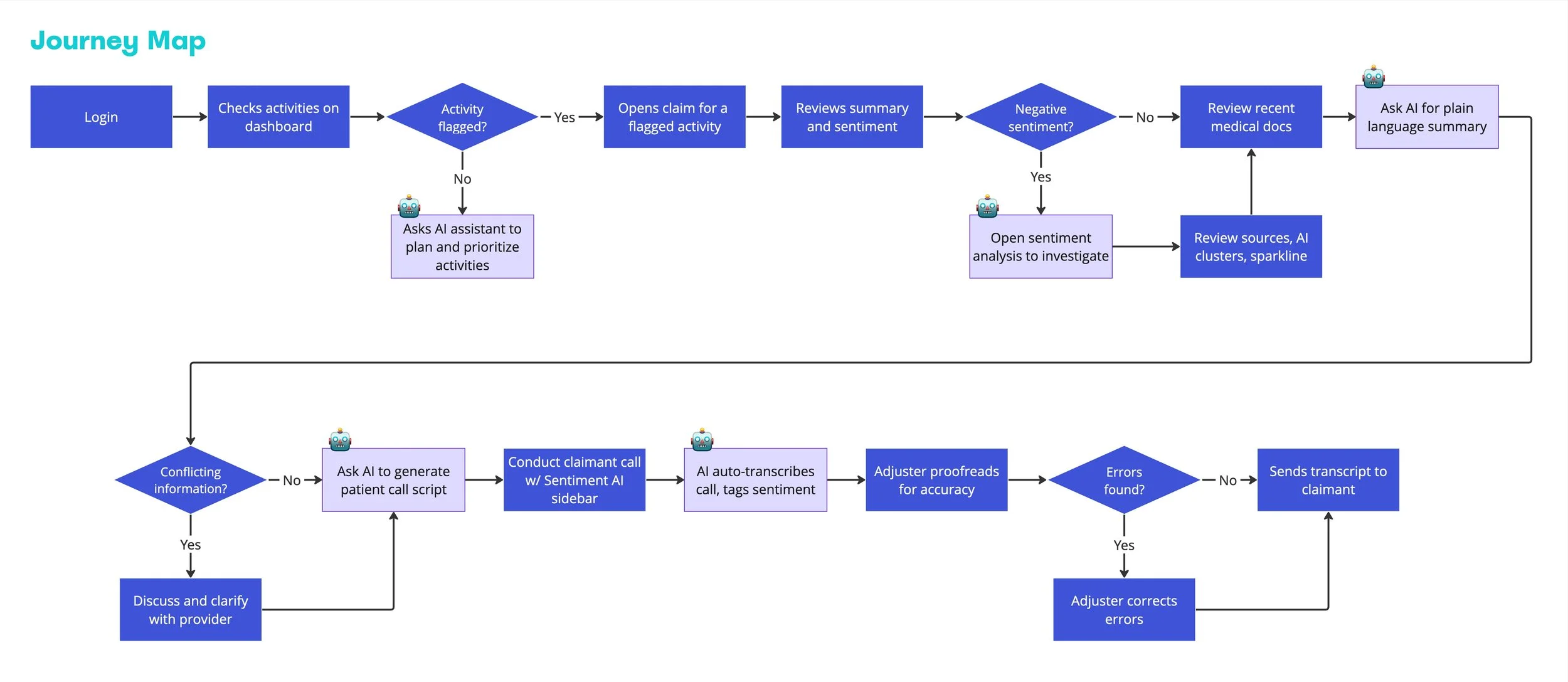
With the scenario, we translated key human-AI interactions into this end-to-end journey map of an adjuster’s claim-handling process.
The map highlights how AI assists at critical touchpoints. We also included human checkpoints, like verifying errors or clarifying with providers, to keep the loop grounded in real-world accountability.
Designing with AI: Feeding User Flow into Figma Make
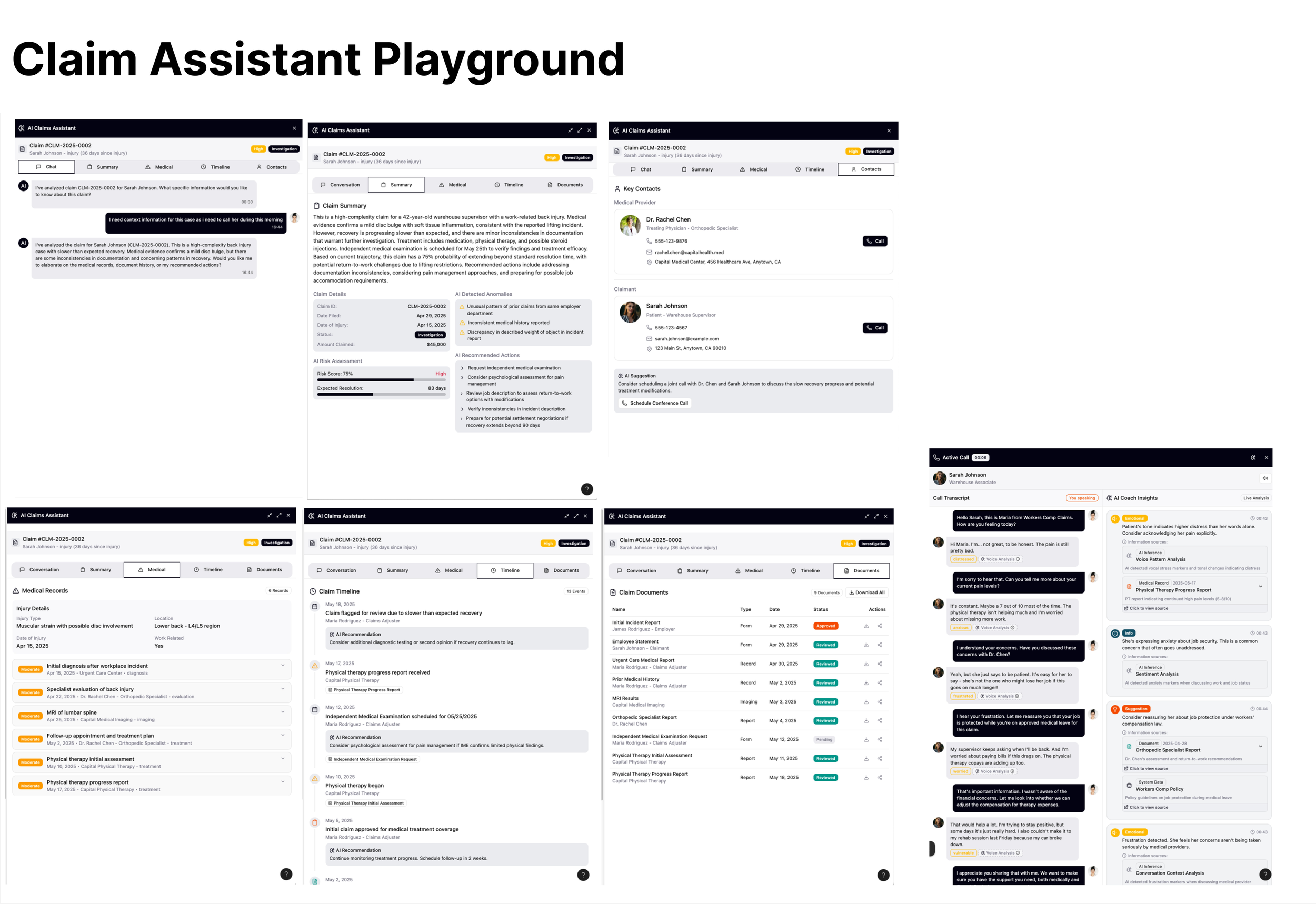
All of us were first-time users of the newly launched Figma Make, but the try out was inspiring. Once we fed in our user flow, it generated polished mockups within minutes, visualizing complex logic that would've taken days to build manually.
But this also revealed something deeper: while AI can accelerate creation and spark inspiration, it's human judgment that brings clarity, structure, and empathy. It took 15 minutes to get a visual, but two full days to review every touchpoint and refine it for real user needs. By the end of this project, one mindset stuck with us: to create truly meaningful design, humans must stay in the loop.
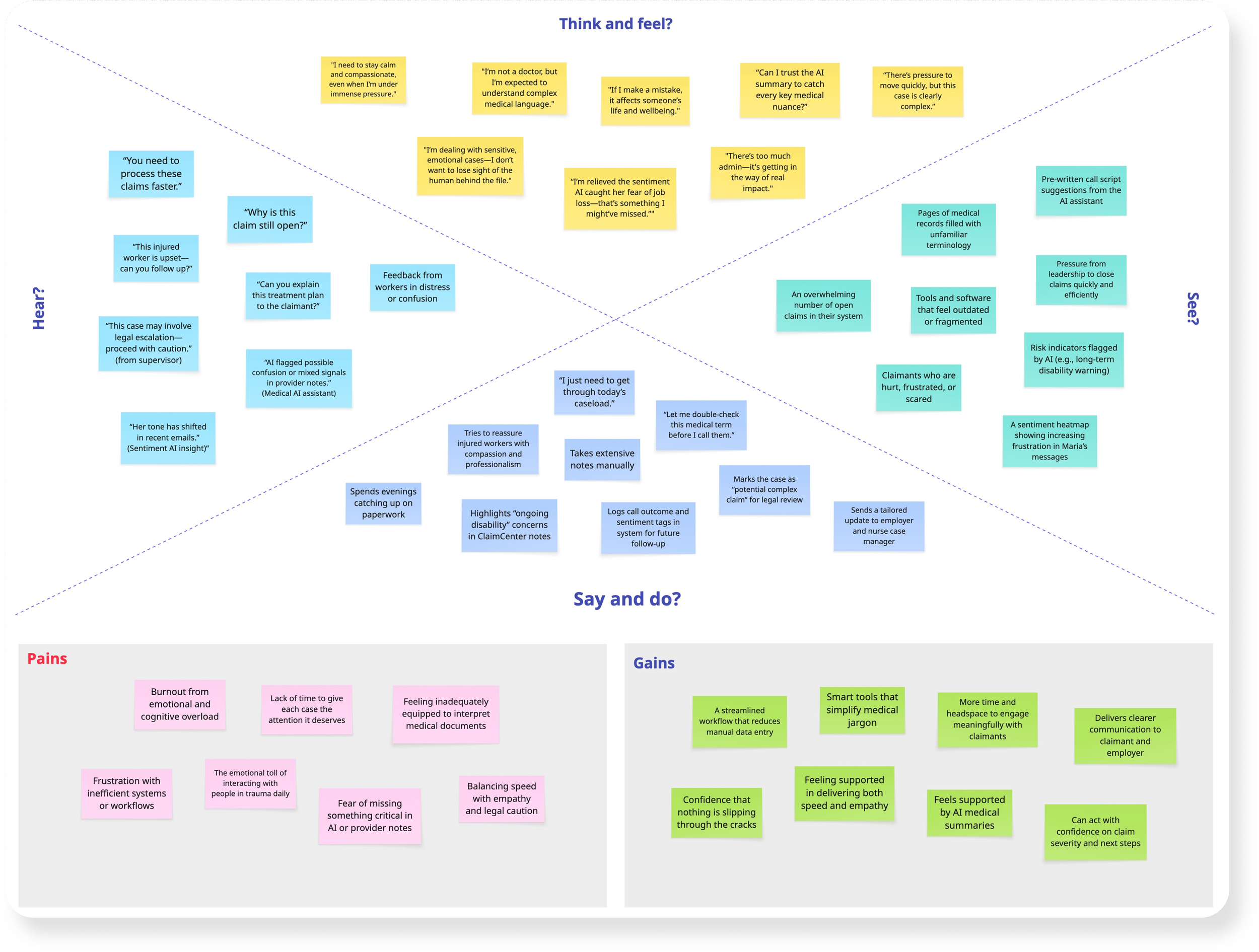
Empathy Map
To better understand our primary user - the claims adjuster, we created the empathy map that captured their think, hear, say, and feel. We found emotional fitigue, confusing medical jargon, and fragmented systems were major pain points.
But we also saw opportunities to integrate AI tools that bring clarity, ease the workload, and restore empathy back into the process.

Diverge/Converge Chart
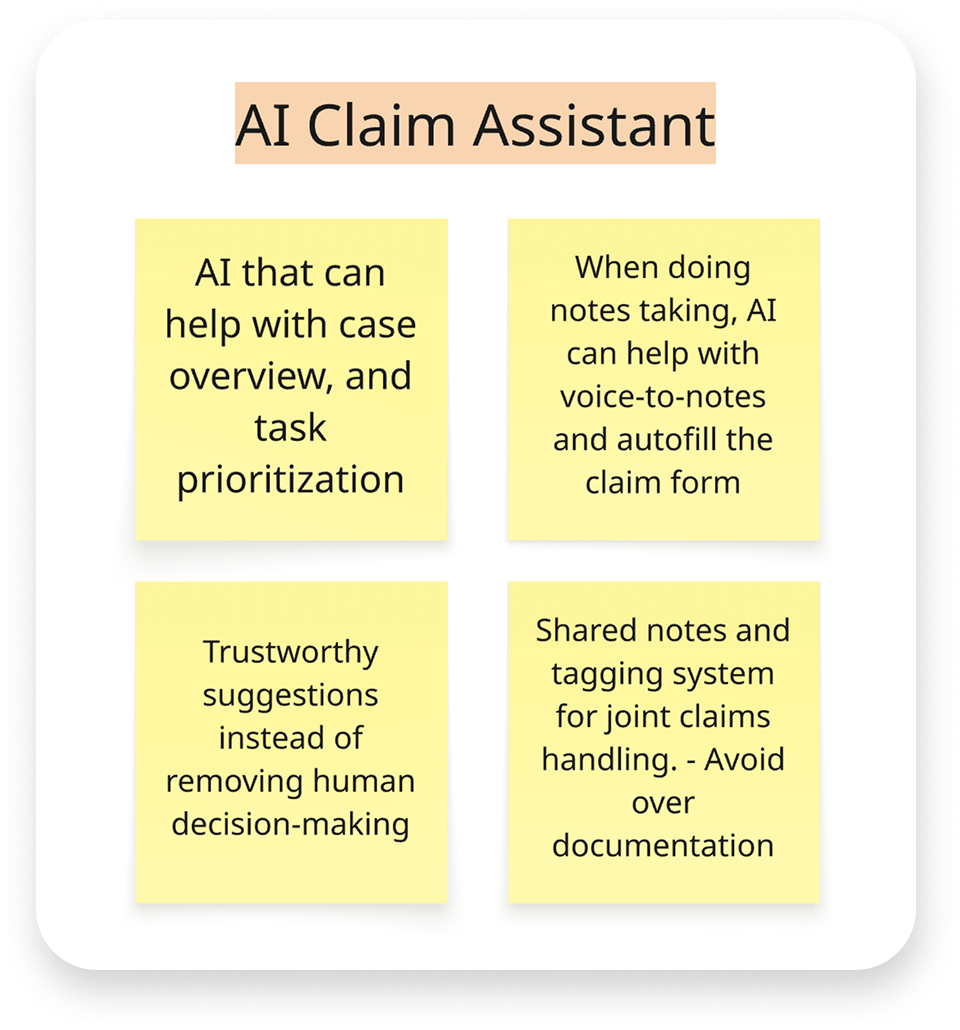
Building on the empathy map insights, we began exploring which features to prioritize. We started by diverging and mapping out a wide range of AI opportunities across the claim process. Then we converged, collecting and prioritizing key themes.
Given the limited project timeline, we chose to focus on two core areas: AI Claim Assistant and AI Medical Agents, as shown below.
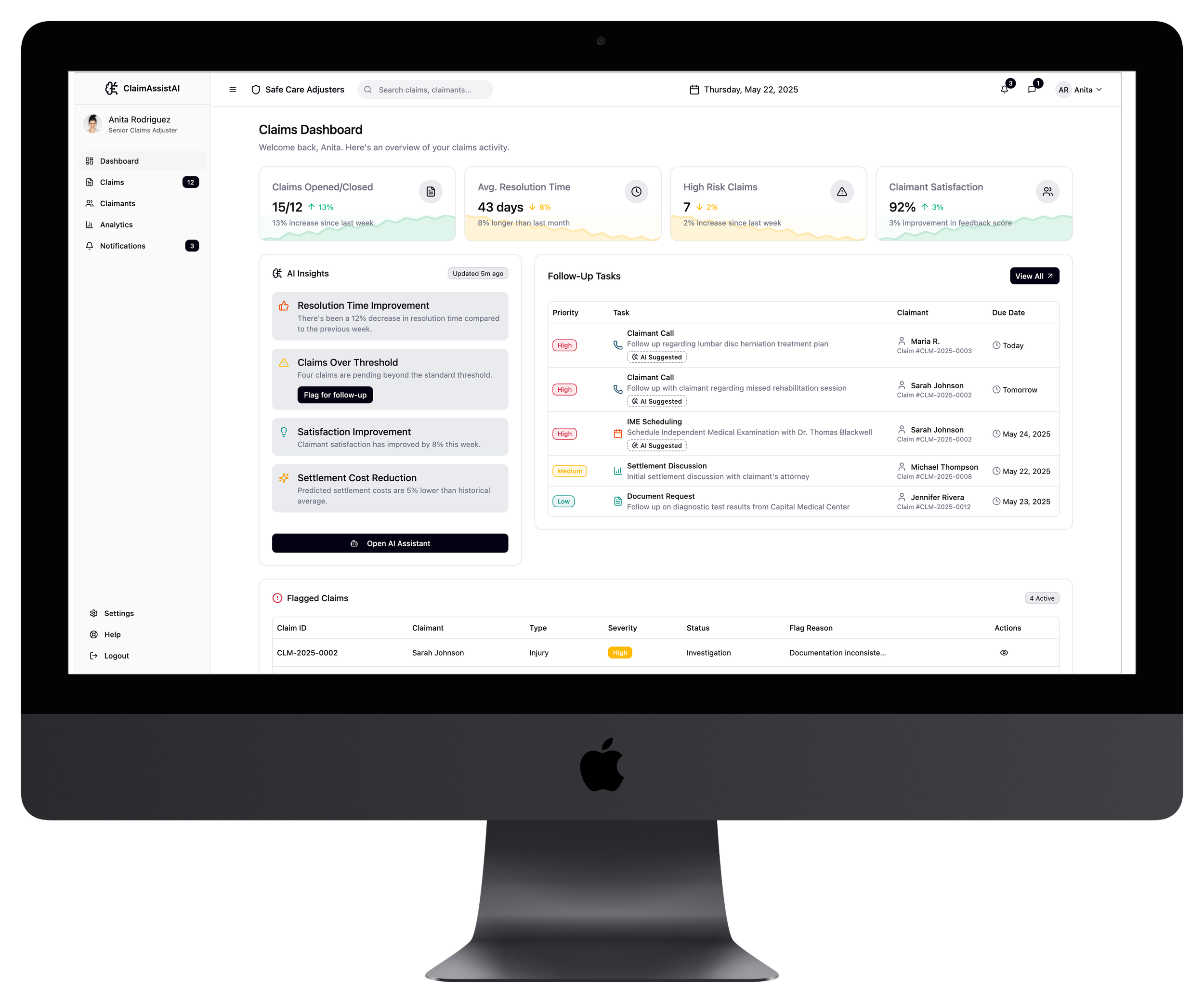
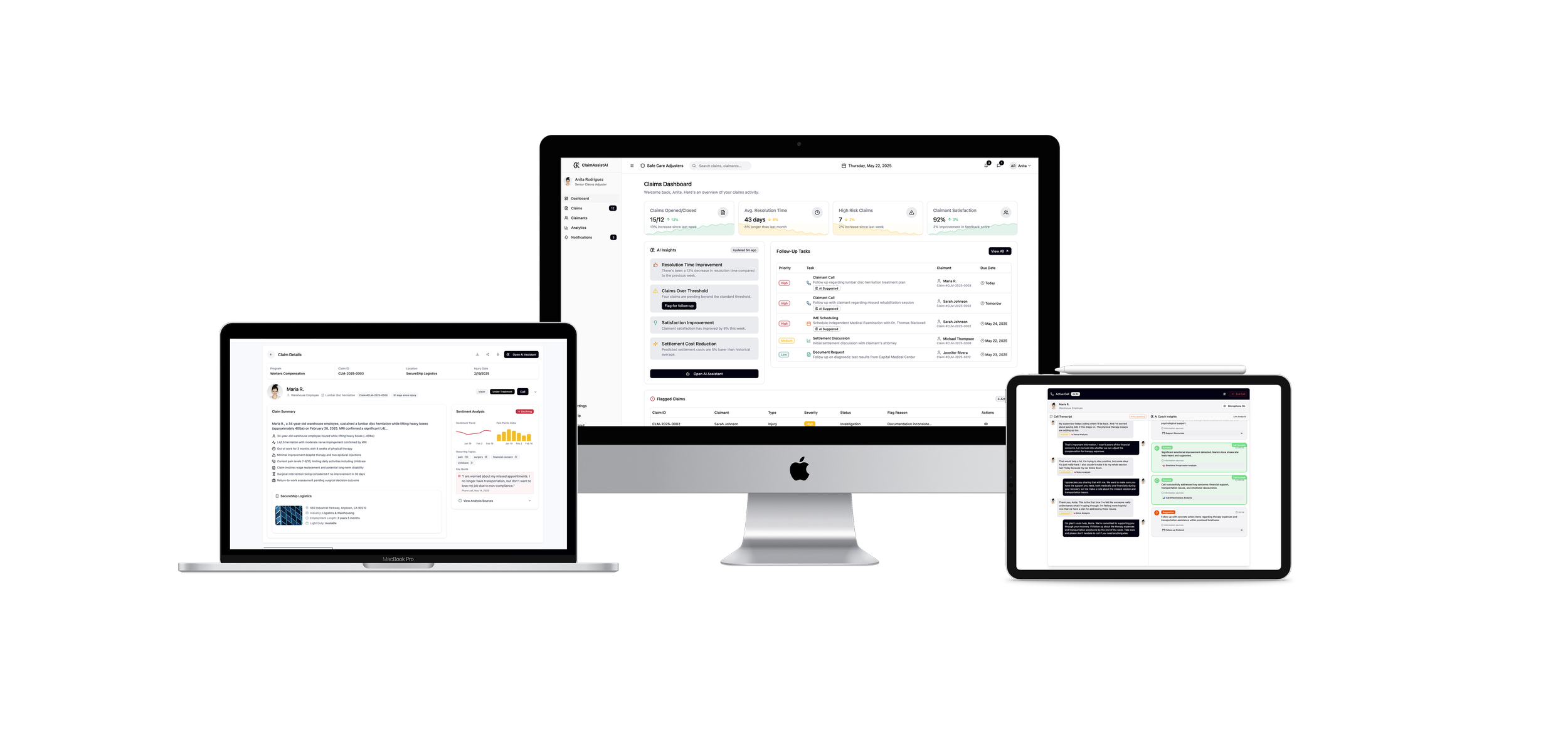
1. Dashboard page
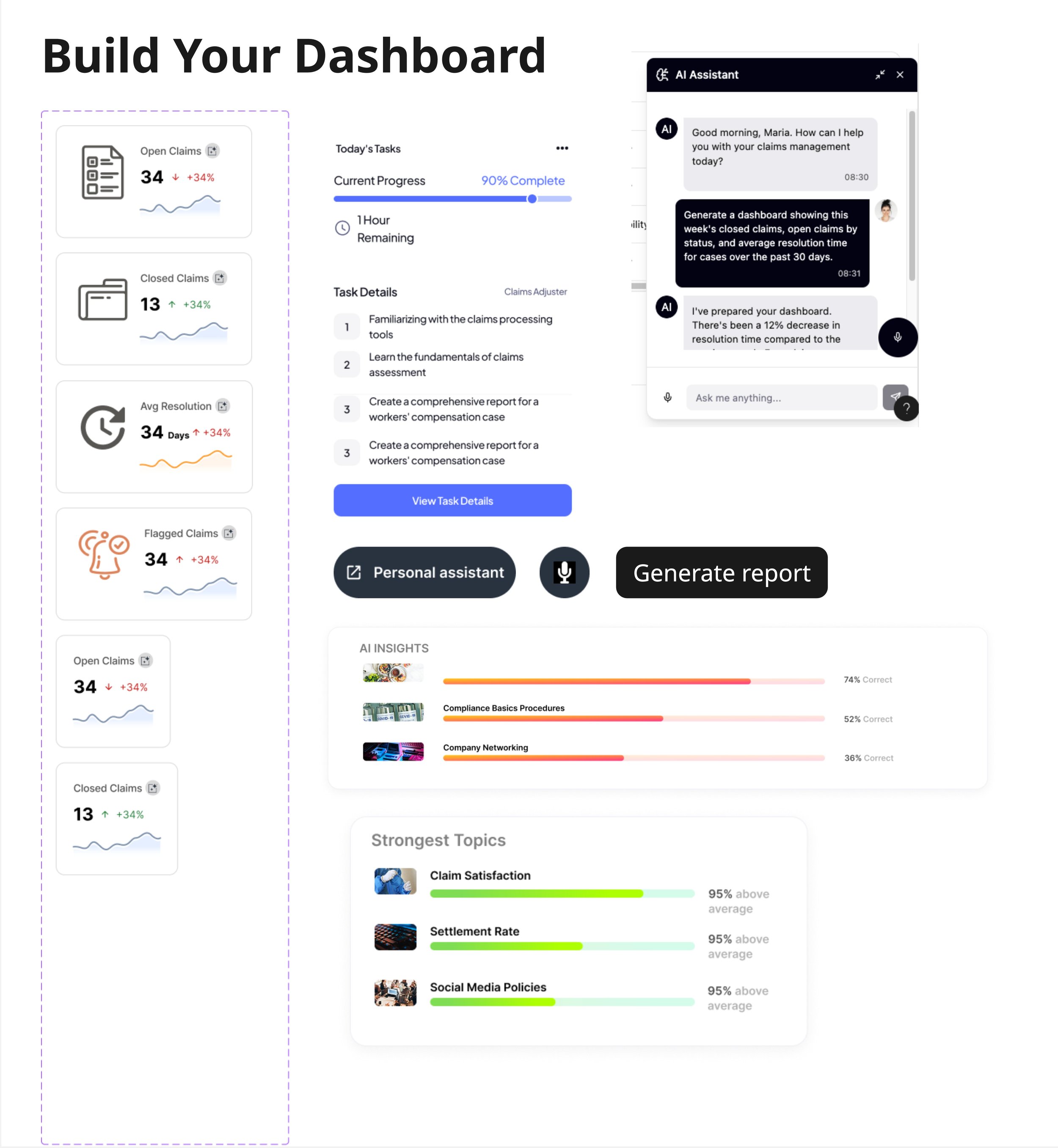
Anita, our worker’s comp adjuster, logs in onto the dashboard. She has lots of open claims and pending tasks to get through today, so she relies on her AI-prioritized tasks to organize her caseload. At the top of her tasks list is a high priority task to call one of her claimants, Maria, who has had an open claim due to a back injury.
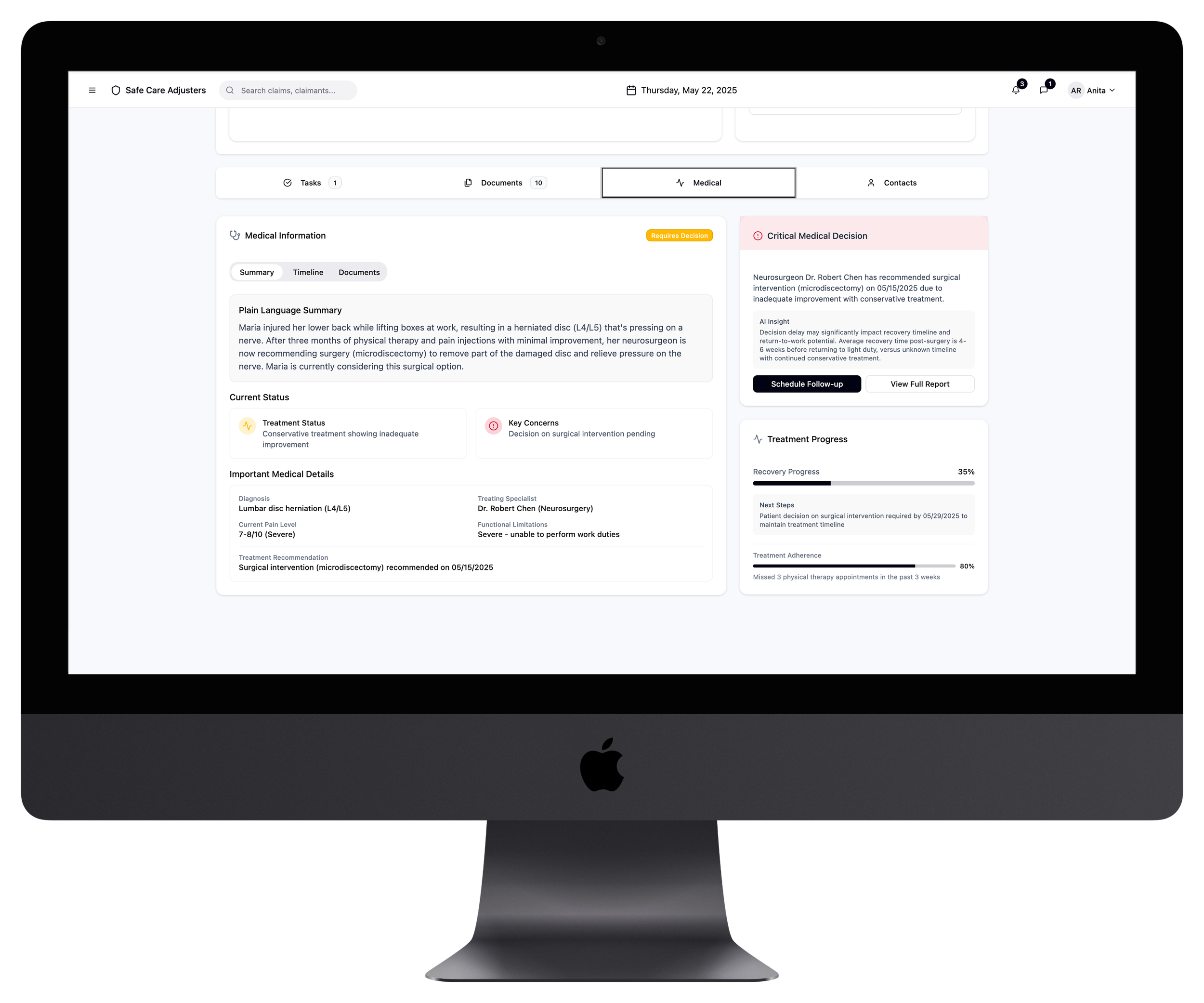
3. Medical Document summarization
Because Maria’s sentiment has been steadily declining, Anita wants to make sure she clearly understands exactly what is happening with her injury and treatment, so that her conversation with Maria is productive and caring.
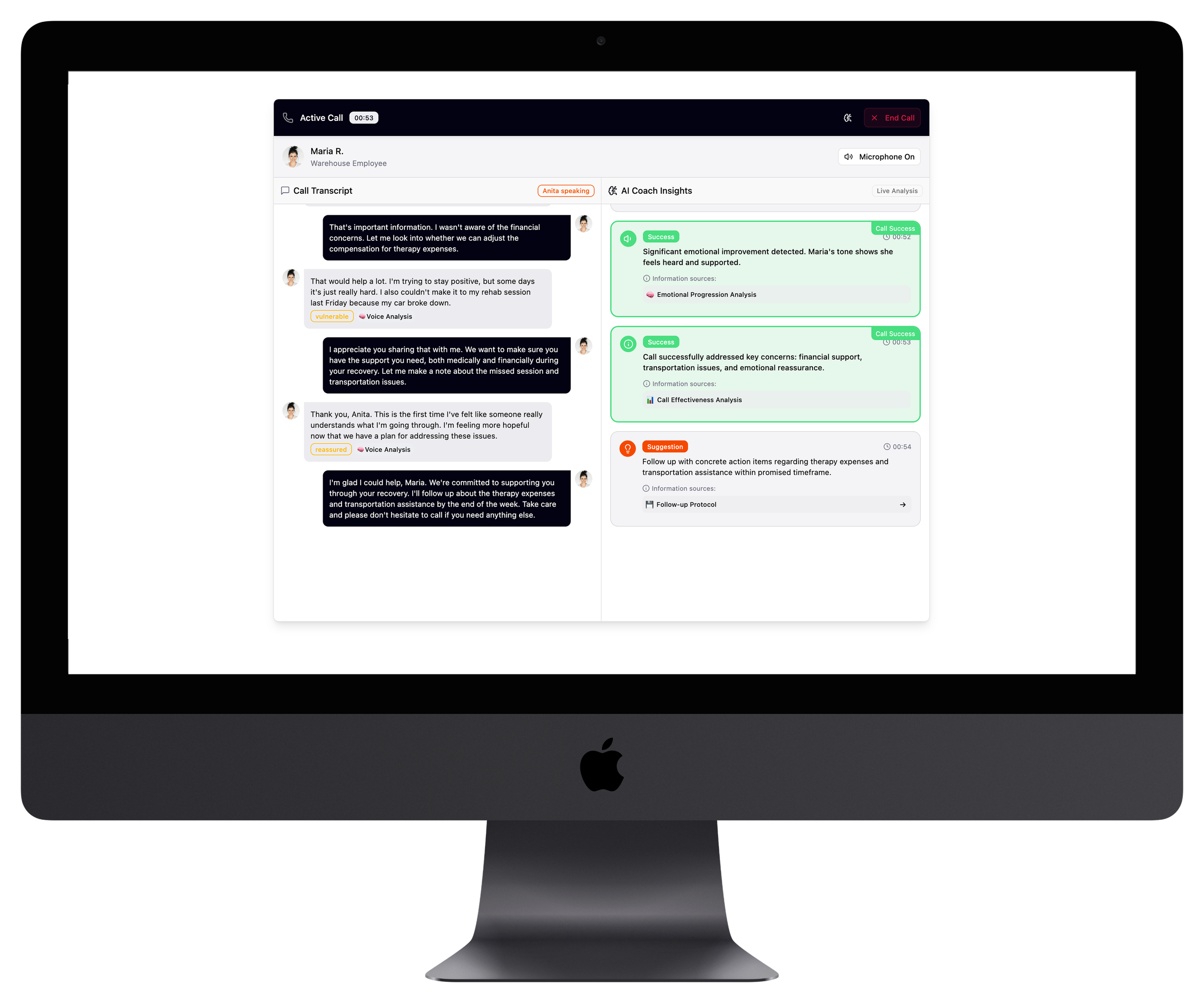
5. Call Transcript page
During her call, Anita can use her AI Live analysis to help her steer the conversation more positively. It pulls from the sentiment analysis and Maria’s claim details to help guide Anita through the call, much like a reactive script.
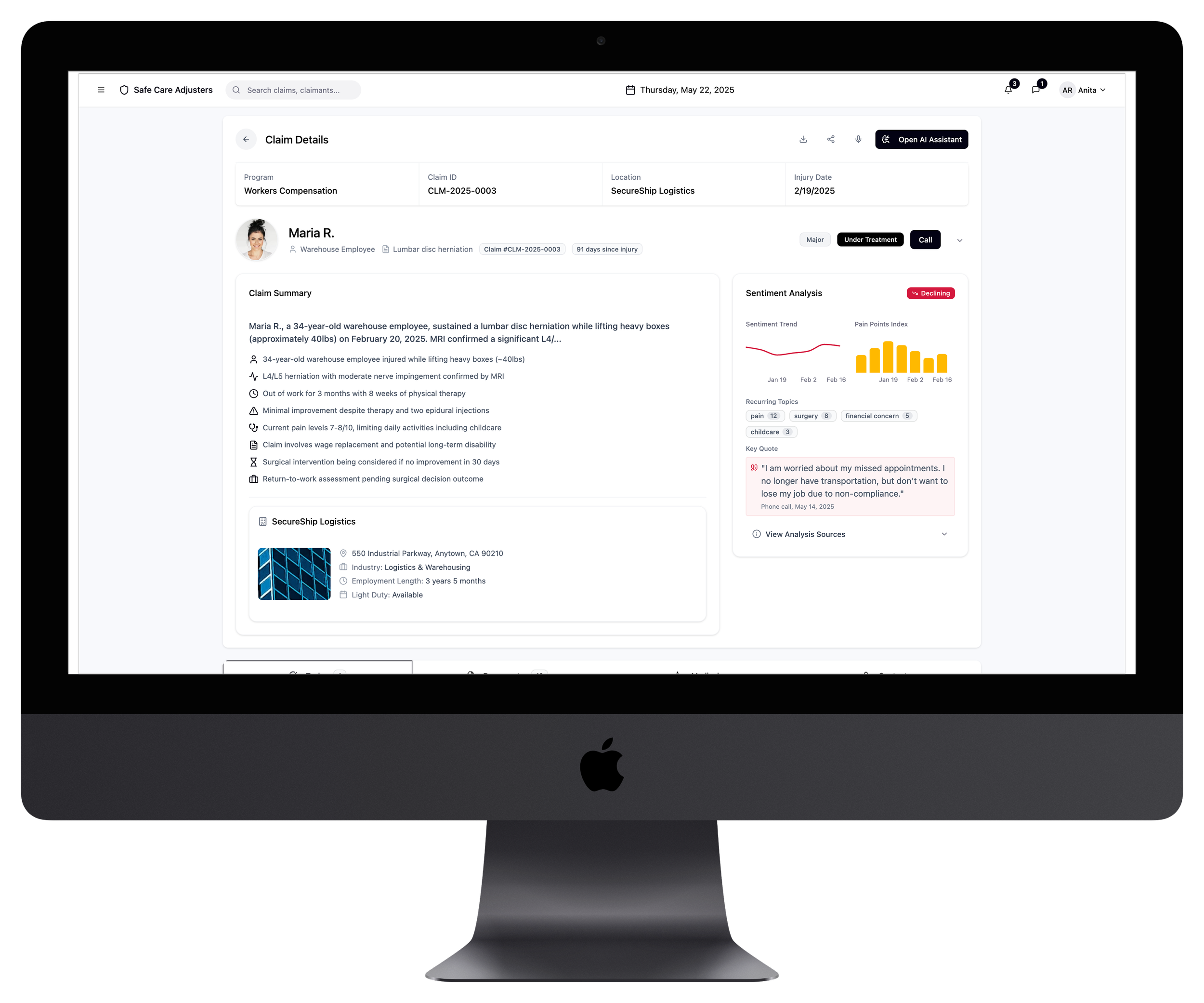
2. Claim Detail page
Anita opens the claim to review the information before calling Maria. In addition to a convenient claim summary, she can also review a customer sentiment analysis. This AI-driven feature pulls key claimant's data to adjusters, such as tonality changes from calls or emails, patterns in questions or concerns, and frequency of follow ups.
This helps the adjuster prepare for a more productive conversation with the claimant, ultimately leading to better customer satisfaction.
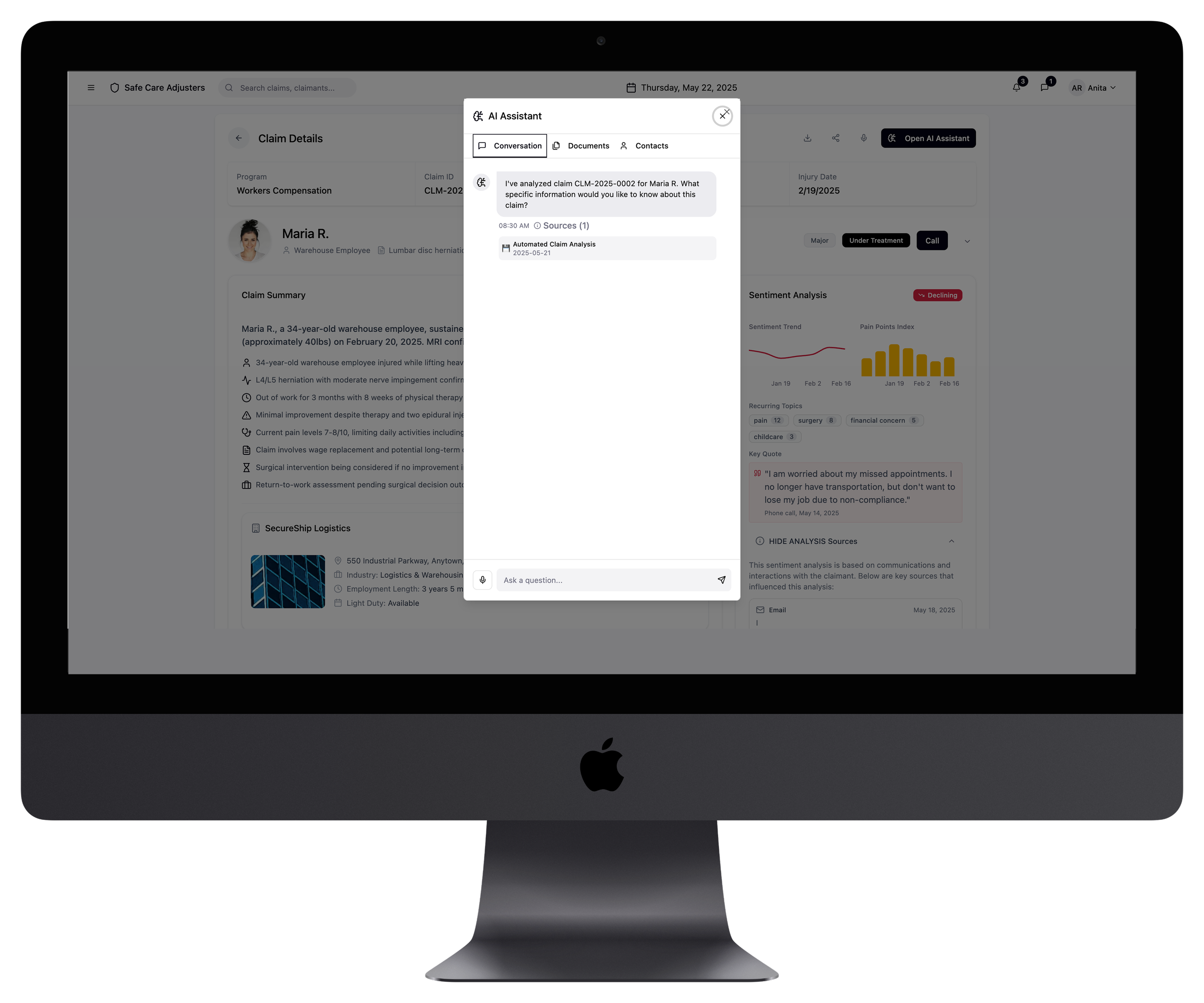
4. AI Assistant Modal
Anita opens her AI assistant and can speak her request directly, rather than only typing. With this feature, she can ask for a summary of the medical records or translate complex medical terms into plain language. After reviewing the prior documents, Antia calls Maria.
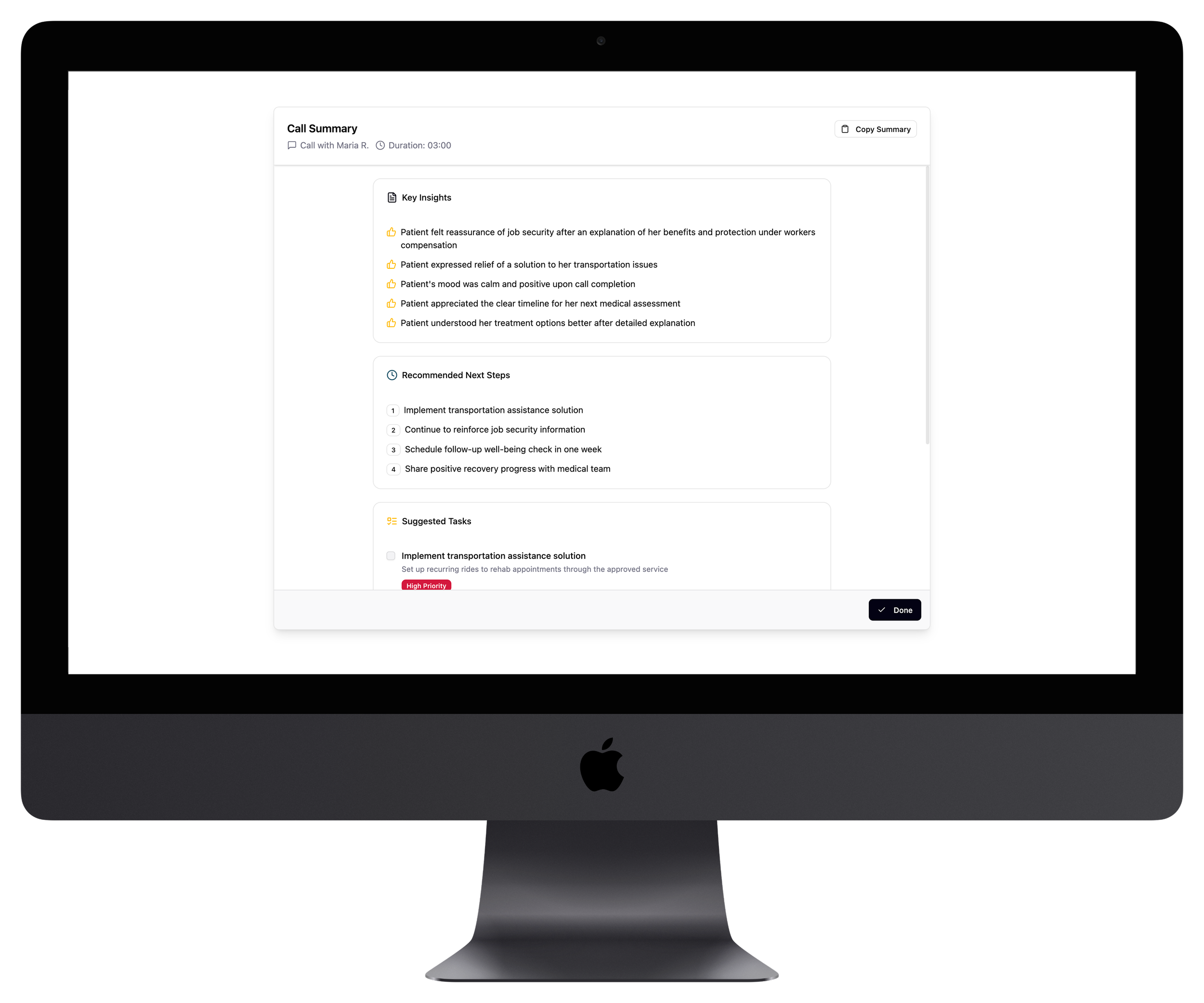
6. Next Step Recommadations
After the call, the AI generates a concise summary: what was discussed, what changed, and what actions to take next. With just a few clicks, Anita selects follow-up tasks and adds them to her agenda.